Draft is a visual editor for Windows. You drag Flutter widgets onto a phone, a tablet or a desktop, tap through the screen in Preview as if it were an app, and copy the code in Flutter (Dart) and, for many widgets, in React with TypeScript and Tailwind too.
Free. Beta version: it may have bugs and it updates itself.
How a screen comes together in Draft. Animation: in the Draft editor, a top bar, a search bar, chips, product cards and a navigation bar are dragged onto a phone; a title's weight and size are changed in Properties; the Bosque style pack is applied to the whole page; in Preview a chip and a heart are tapped; and with a right click, Copy code shows the card's Flutter code.
An animation made with Draft's interface. The screenshots further down come straight from the app.
01 · How it's done
Four steps. Real screenshots.
They all come from the same project, in order. None of them needs you to write code.
01/04
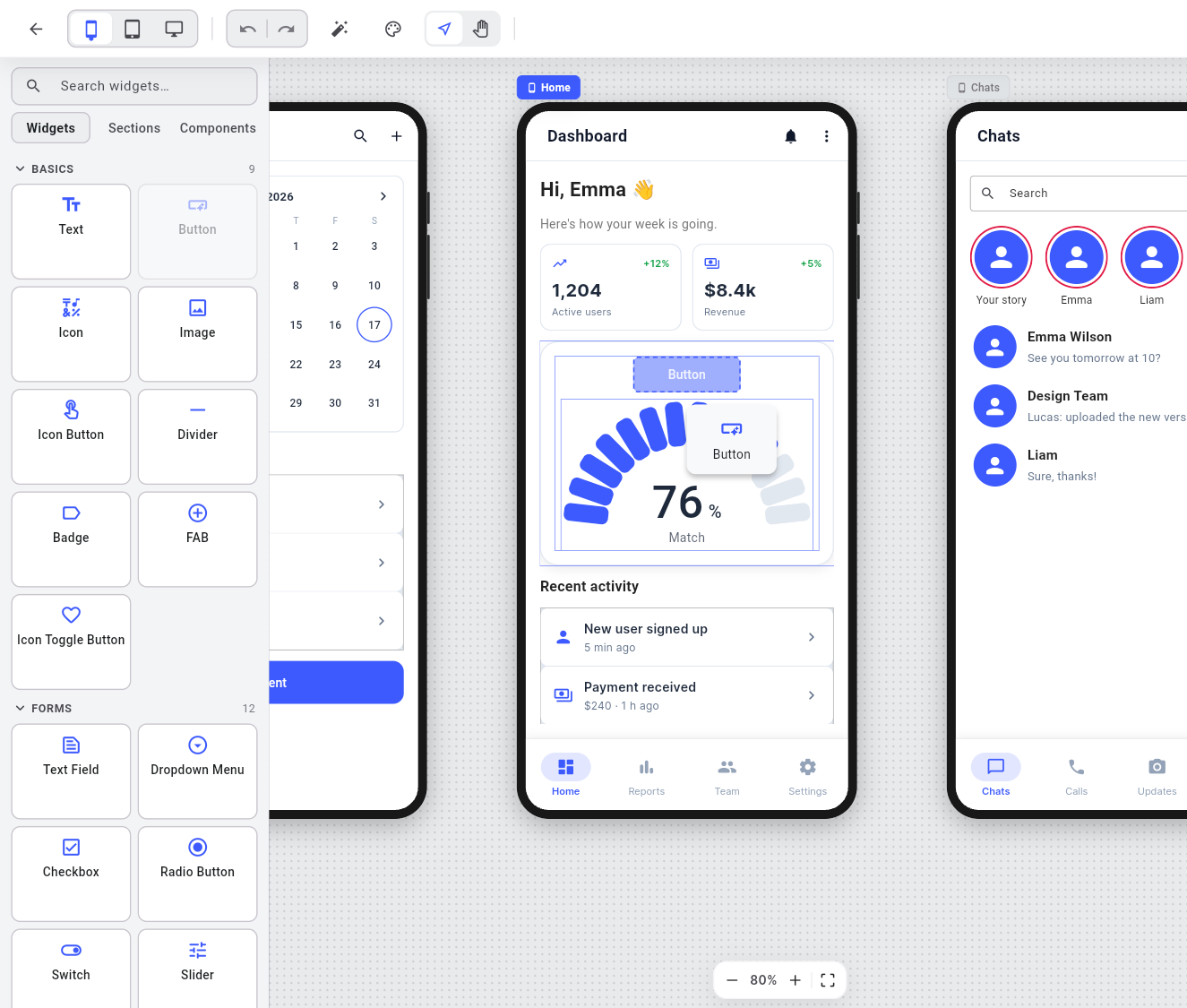
Drag a widget
Pick it from the palette (Text, Button, Image, Text Field, charts, calendar and more) and drop it on the page. Columns and rows line it up for you.
02/04
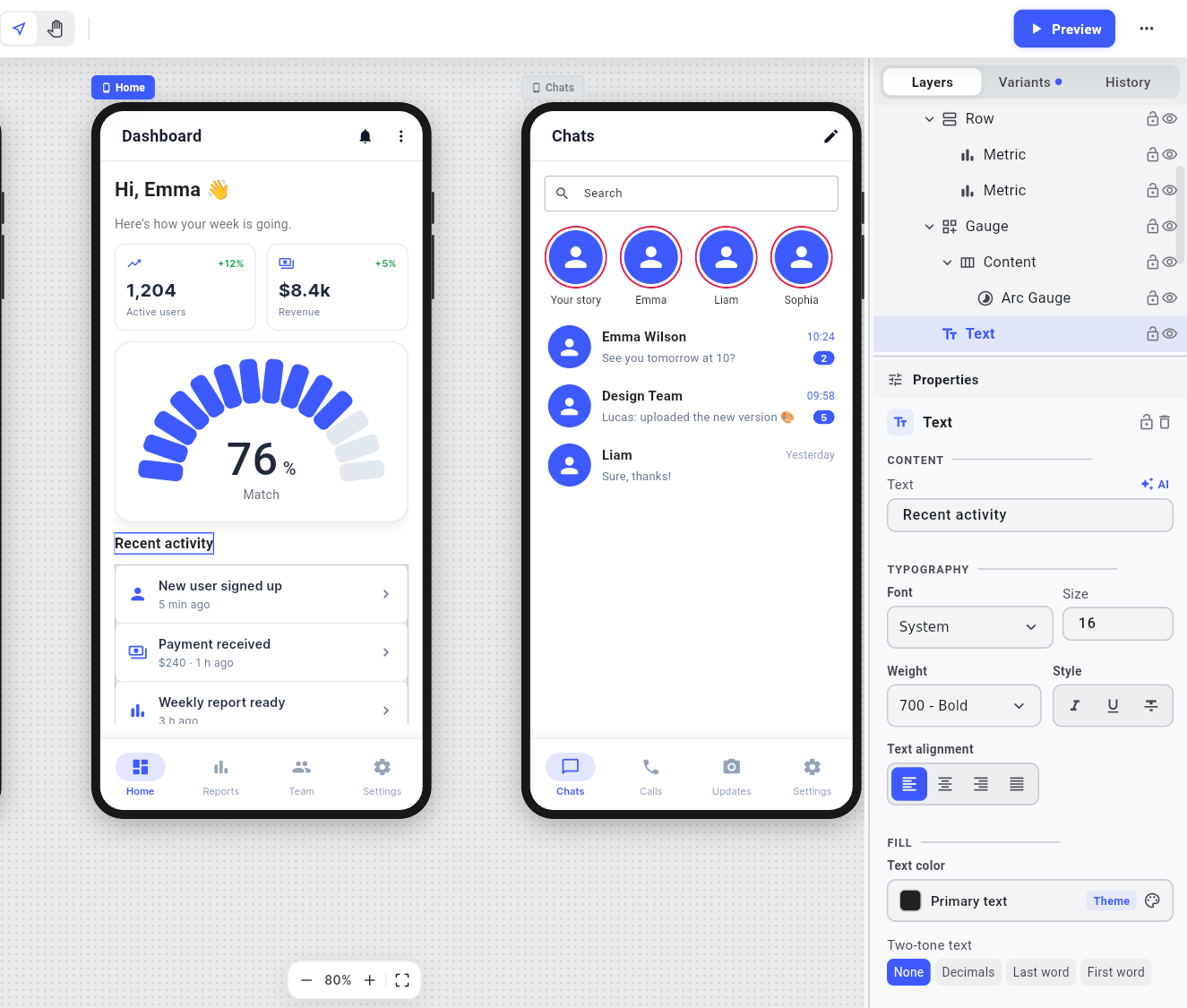
Adjust it in Properties
Text, typeface, colors, size, spacing and actions of the selected widget. Every change can be undone.
03/04
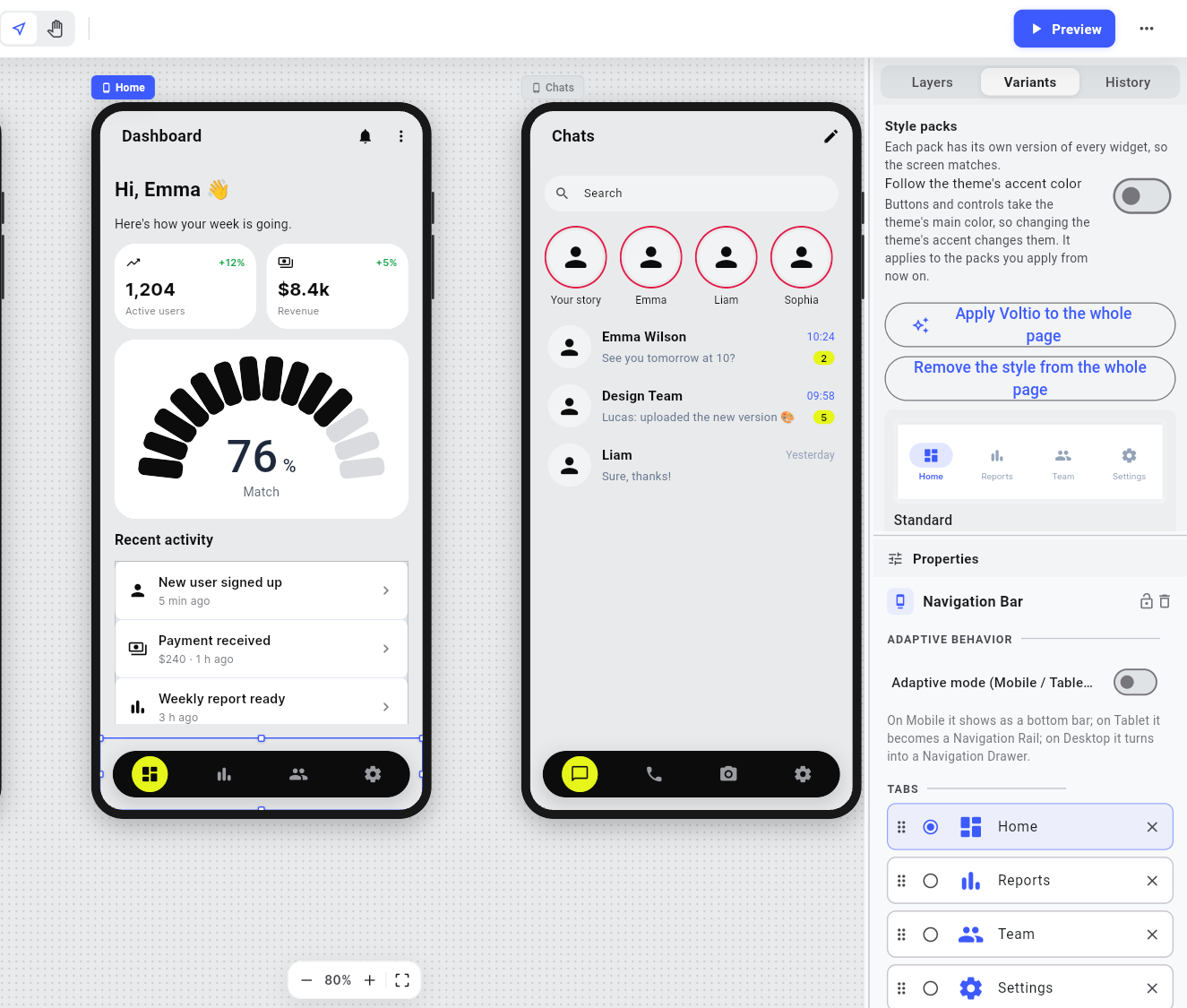
Dress it with a style pack
Eight packs restyle one widget or the whole page at once, and they go well together. Here, Voltio.
04/04
Try it and copy the code
In Preview, buttons, fields and chips respond like in an app. Right-click a widget and Copy code gives you its Flutter (Dart) version, ready to paste into your project; for many widgets, in React with TypeScript and Tailwind too.
02 · A whole project
Team Demo: another app, another style.
Up top you saw a shop. This is a teamwork app: dashboard, calendar and chats, built with the app's templates and the Voltio pack. These are Preview screenshots: this is how they look and respond.
Dashboard
Metric
Arc Gauge
Navigation Bar
Calendar
Calendar
Button
Chats
Search Bar
Navigation Bar
03 · Spec sheet
What it does today.
Written like the app's Properties panel. None of this is a promise: it is in the version you download.
Properties
Widgets
Flutter
Every piece on the canvas is a Flutter widget: Container, Row, Column, Stack, App Bar, bottom bars, Bottom Sheet, charts, calendar, keyboards and more.
Devices
Phone, tablet and desktop. Each page has its own frame, and Preview switches between them.
Preview
Try the screen as if it were an app: buttons, text fields, chips and switches respond. Switch between phone, tablet and desktop.
Templates
−16+
16 screens to start from, one blank and the rest already built: sign-in, sign-up, dashboard, chat, profile, settings, shop, product, cart, calendar and more.
Style packs
Grafito, Bosque, Brasa, Hoja, Plata, Consulta, Editorial and Voltio. They restyle one widget or the whole page.
Code
FlutterReact
Copy a widget's code in Flutter (Dart) or export the whole page as a .dart file. For many widgets you also get React with TypeScript and Tailwind.
Description for AI
A description of the page, ready to hand to an artificial intelligence assistant.
Languages
ESEN
The interface is in Spanish and English, and the sample content is written in the language you pick.
Yes. The full editor is free. Pro is a subscription that adds what needs the cloud: syncing your projects across your computers and keeping your photos.
Where are my projects saved?
On your computer. With Pro they are also copied to the cloud, so you can open them on another computer with the same account.
Do I need an account?
Yes, to get into the app: with email and password or with Google.
Is there a version for Mac, Linux, iPhone or Android?
Not today. Draft is released for 64-bit Windows.
Does Draft build the whole app?
No. Draft designs the screens and gives you the code to take into your project: Flutter (Dart) for widgets or for the whole page and, for many widgets, React with TypeScript and Tailwind. Your app's logic, data and navigation are yours to write.
What happens if I stop paying for Pro?
You go back to Free and nothing is deleted: your projects stay on your computer and what was in the cloud stays saved; it just stops syncing. If you come back to Pro, it catches up.
How do I buy Pro?
From the app, signed in to your account: Settings › Account & cloud › Upgrade to Pro. Lemon Squeezy processes the payment in your browser. More in Pricing.
Is it a finished version?
It is still a beta: it works, but it may have bugs. New versions arrive through the automatic update, which asks you before installing. If you find a bug, write to us.
Download
Open it and build your first screen.
The installer lives in Draft's public releases repository on GitHub. Once installed, the app looks for new versions when it opens and asks you before updating.